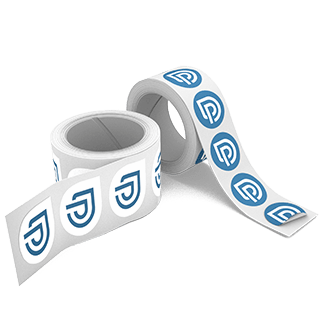
Print Labels on Roll

What could be better than customised labels to give your products that extra touch? Whether on paper bags, packages or jars, give your products a distinctive look. And best of all, you can choose the shape and size of your labels.

Labels on roll
x
Service options
Shipping
0
1. Address

Our quote for you:

Net price22,93 EUR
plus VAT (19%)4,36 EUR
Gross price27,29 EUR

incl. shipping

The total weight is approx. 0,0 kg.

The dispatch will take place Monday, 12. October, if ordered today before 12 p.m.

Price is calculated


Two label rolls

Versatile in Every Application: Labels on a Roll

  • endless variety of shapes thanks to custom die-cut contours
  • numerous materials for different applications
  • orderable on a roll starting at 50 pieces
  • suitable for both machine and manual dispensing
  • 4/0 and 1/0 color; transparent labels available in 5/0 color with white underprint
  • labels are wound onto the outside of the roll; the winding direction is determined by the orientation of your print files
  • adhesive papers are generally compatible with common thermal transfer printers

Order and Print Custom Roll Labels Online

Whether on wine bottles, jam jars, shipping boxes, or paper carrier bags: labels give your products an individual touch and therefore carry strong recognition value – making them perfectly suited to showcase your brand creatively.

But roll labels also show their strength in retail, shipping, and production – especially in combination with labeling machines that apply your labels uniformly, precisely, and at high speed. At printworld.com, you can calculate the price of your custom-designed labels conveniently online, choose the material and size to suit your application, and order your desired label with just a few clicks – for manual or machine processing.

Shape and Size: 100% Custom – No Predefined Shapes

Your application determines the format. Whether small for barcodes or large-format for branding: the contour can be freely designed, and anything is possible – the classic rectangle, a round or oval design, or completely custom special shapes – you define the die-cut contour exactly to your wishes and preferences. Let your creativity run wild up to 295 x 500 mm (minimum 10 x 10 mm). We'll then take care of printing your labels, which adapt without compromise to your product, surface, and design.

Printing Labels on Rolls – On the Right Materials, of Course

The application defines the material, and the choice of material determines the effect and durability.

  • White adhesive paper (coated) is the efficient all-rounder for indoor use, ideal for stickers, shipping labels, and bottle labels on smooth substrates.
  • White PP adhesive film guarantees brilliant color reproduction and high resistance to moisture, oils, and chemicals – perfect for cosmetics, cleaning products, or beverage cans.
  • Clear PP adhesive film enables a "no-label look" on glass or plastic; with an optional white underprint, colors appear rich and vibrant.
  • Need to cover or obscure something? Opaque white adhesive paper with a blue backing (approx. 99% opacity) is best suited for this – ideal for covering old barcodes or text.
  • For temporary applications, removable label papers are a great help; for returnable bottles, water-soluble natural paper is recommended, which can be removed without residue in a caustic bath.
  • Recycled adhesive paper is especially well suited for direct contact with dry, non-fatty foods. The paper is made from 100% recovered paper and chlorine-free bleached. Both the film and the adhesive are biodegradable and vegan.
  • Neon papers in yellow, green, red, or orange send strong signals at the point of sale – ideal for special promotions and discount campaigns.
  • For labeling wine bottles specifically, a water-resistant, felt-marked natural paper is well suited. It adheres even to slightly damp, cold glass. It also holds up in storage environments with fluctuating climate conditions.

Not a Fan of Rigid Shapes? – High Recognition Value Thanks to Free-Form Contours

Your brand is allowed to have an edge: that's why our motto is "individuality is king." We want you to be able to design your labels as flexibly as possible. Whether you go with standard contours or special shapes – such as a star, speech bubble, or heart – is entirely up to you. Just provide us with a print file with cleanly defined cut paths and minimum spacing in your layout, and we'll take care of the rest. Please refer to our data sheet for this. That way, nothing can go wrong. The result: roll labels that don't just inform, but are a genuine eye-catcher.

Finishing – 76 mm Roll Core, Four Winding Directions for Manual or Machine Processing

Due to the manufacturing process, our labels always reach you wound on a roll, cut apart and ready to use. They're wound onto a 76 mm core (inner diameter), making them compatible with common labeling lines and therefore ideal for machine dispensing. You can generally choose from four winding directions, which are determined by the orientation of your print files. Please refer to the product data sheet for this. Of course, manual application is just as possible: the labels peel easily from the backing paper and apply without any trouble.

Order Roll Labels and Have Them Produced Economically in Small or Large Runs

Our roll labels can be ordered starting at a print run of just 50 pieces – making them perfect for trials, seasonal designs, or limited editions. Thanks to volume-based pricing, the unit price drops as the print run grows, so large runs can be produced efficiently and cost-effectively. This lets you combine attractive pricing with exactly the quantity your project needs.

How Do I Set Up the Trim Box for My Custom Label Format?

For your labels' print files to be processed correctly and cut to the desired shape, the correct trim box is essential in the print file, alongside the die-cut line. In programs such as Adobe InDesign, Adobe Illustrator, or Affinity, you set this up when creating the new document for your layout. For width and height, enter the maximum dimensions of the finished label (which correspond to the maximum height and width of the cut line), and add the bleed via the separate bleed input field.

When exporting the PDF, simply check the box for "Use Document Bleed Settings" (in Adobe Creative Cloud, under "Marks and Bleed") or "Include Bleed Areas" (Affinity). Please make sure to leave out all marks, though.